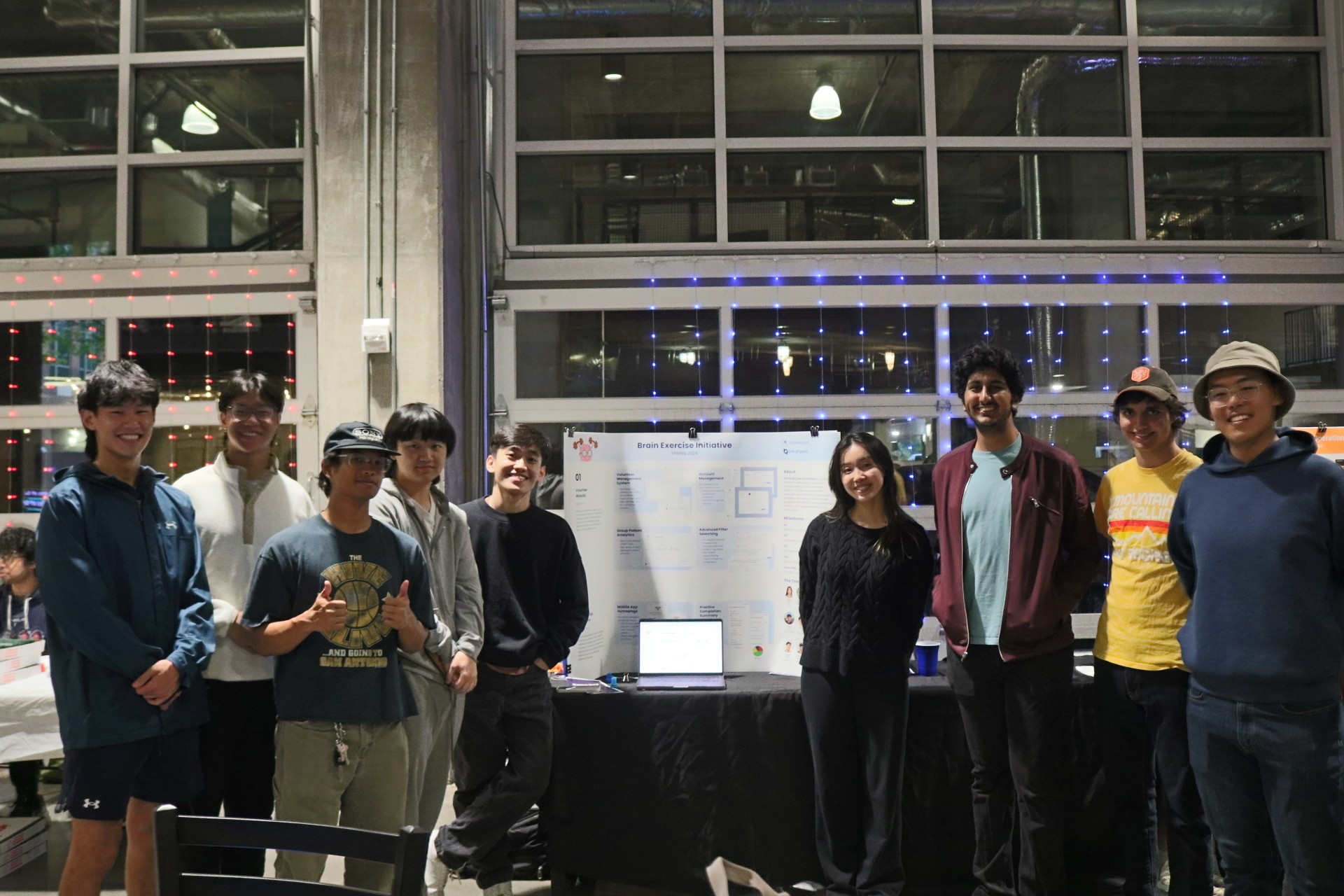
Brain Exercise Initiative
Empowering volunteers to combat memory loss in patients with Alzeihmer's
TIMELINE
Dec 2023 - May 2024
ROLE
UX Design
User Research
TEAM
Product Manager
Engineering Manager
2 Designers
6 Developers
TOOLS
Figma

00
Setting the Scene
Providing context into our project and its overall focus
CONTEXT
What is the Brain Exercise Initiative?
The Brain Exercise Initiative or BEI is a global nonprofit organization that seeks to combat memory loss in Alzheimer's patients through simple cognitive exercises. The initiative involves university students across different chapters in the U.S. volunteering in brain exercise programs with seniors - aiming to enhance their memory and create intergenerational connections.

PROJECT OVERVIEW

CONSTRAINTS
With Bits of Good only being an extracurricular club, there were three constraints that we had to consider:
CONSTRAINT 1
Hand-Off
Projects in Bits of Good are handed-off from semester to semester. It was thus important for us to get a good understanding of previous work from former designers on the team.
CONSTRAINT 2
Time
Our team only had 10 weeks to design and implement features - meaning we had to utilize a reactive design process to quickly push designs to developers
CONSTRAINT 3
Feasibility
At the end of the day, our team was made up of students with outside obligations. We needed to ensure our proposed features could fit into our scope and bandwidth.
OUTCOME
After the end of our 10 weeks, this is what were able to accomplish:
Designed and implemented an admin-facing portal to track and manage volunteers


Introduced design updates to the patient-facing mobile app
For this case study, I'll only be focusing on the admin-facing portal.
01
->
Problem Discovery
Discussing goals with our client and defining the problem
CLIENT DISCUSSION
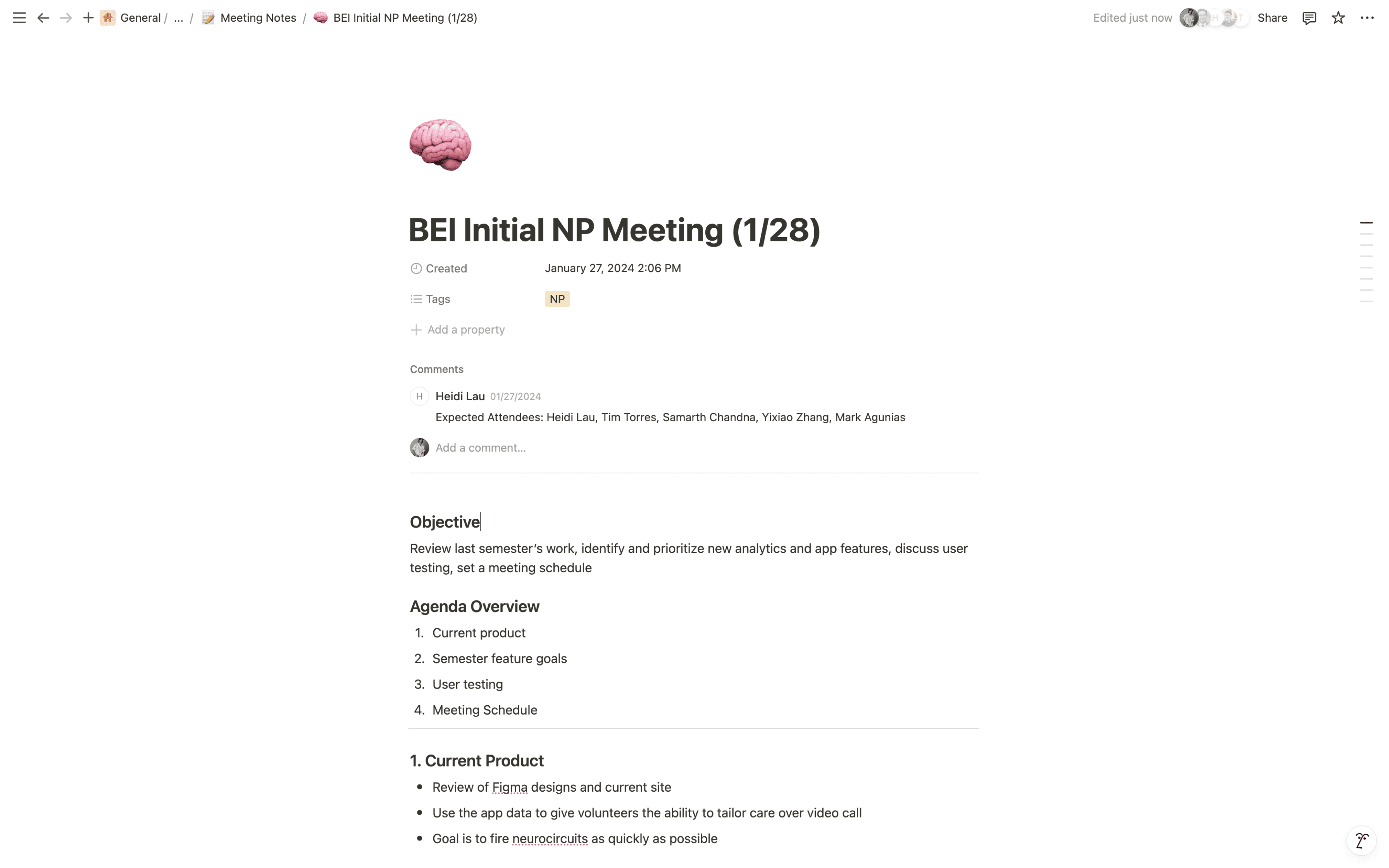
The leadership team for the BEI project, which included the product manager, engineering manager, and us two designers, had a two-week headstart before developers joined the team. In these two weeks, we had several meetings with BEI to discuss previous work, establish design goals, and plan a product roadmap for the semester.

Problem
In our initial meetings with the Brain Exercise Initiative, Tim - our client contact - discussed with us accomplishments from the previous semester and their specific goals to be completed for the current semester. After a volunteer-facing portal was completed last semester, BEI wanted to implement an admin-facing portal for this semester.
There's no existing system in place for BEI to track and manage the thousands of volunteers across hundreds of chapters around the country.
For BEI, the lack of centrality for managing volunteers was a major logistical issue. Thus, the question became:
How might we design a system for BEI to track and manage their volunteers?
02
->
Design Iteration
Finding our north start and iterating towards a solution
Understanding BEI Needs
After setting goals and needs with BEI for the semester, the team needed to get a better understanding of the features that would be implemented.
For the admin portal, we wanted to get a better idea of the role of admins within BEI. This meant understanding the overall hierarchy of members within BEI. Currently, there are 6 different member statuses a person in BEI can have:

For BEI admin, they need to be able to complete three main actions in regards to a volunteer:
Change a member's access level
change a member's active status
delete a member from the bei org
approve or deny volunteer requests
User Flow
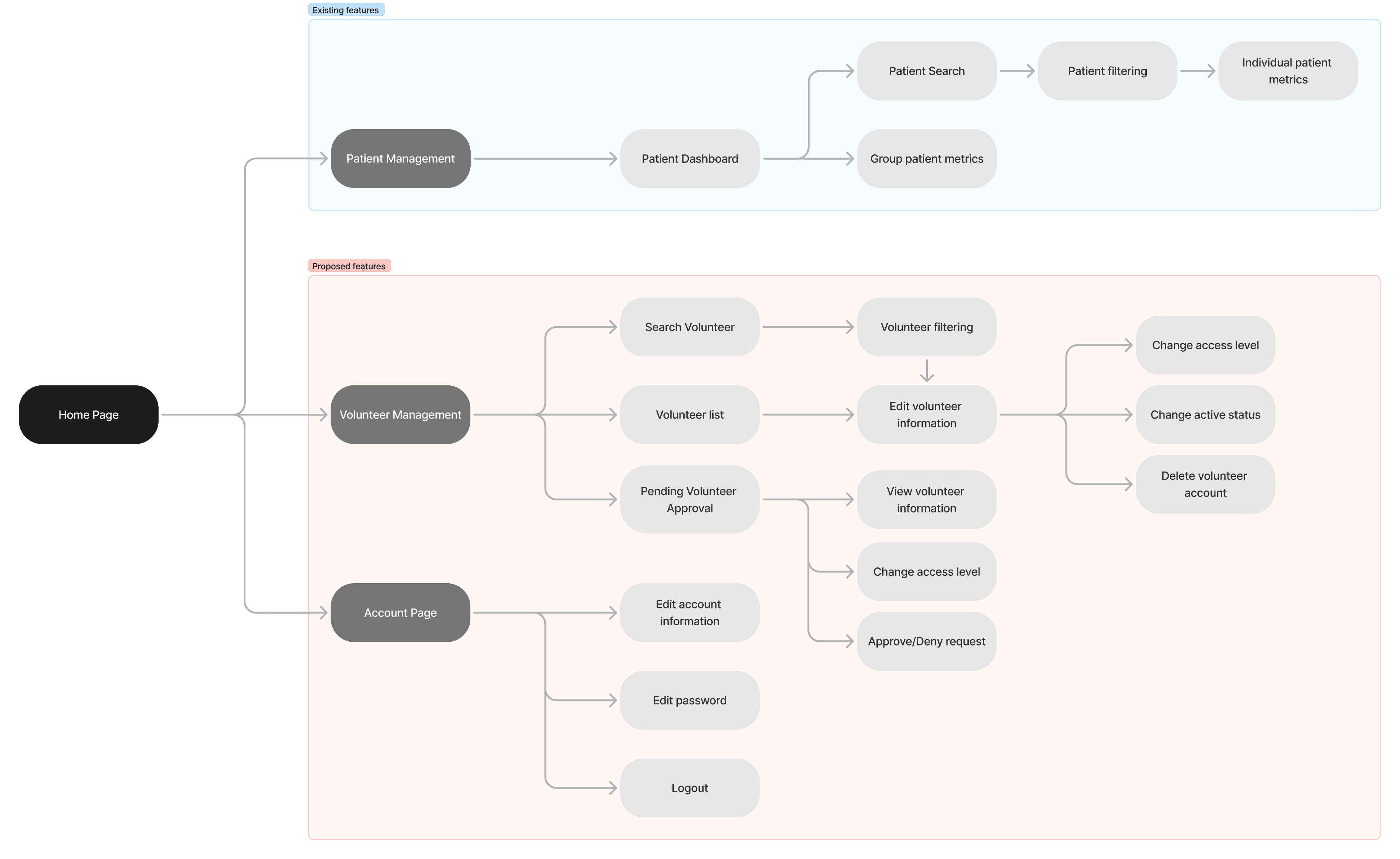
Based on previous design work and current design goals, we created an admin portal user flow that combined patient management, volunteer management, as well as an account page. This allowed us to map out how existing features in the patient management system might parallel our proposed volunteer management page and account page.
Wireframing
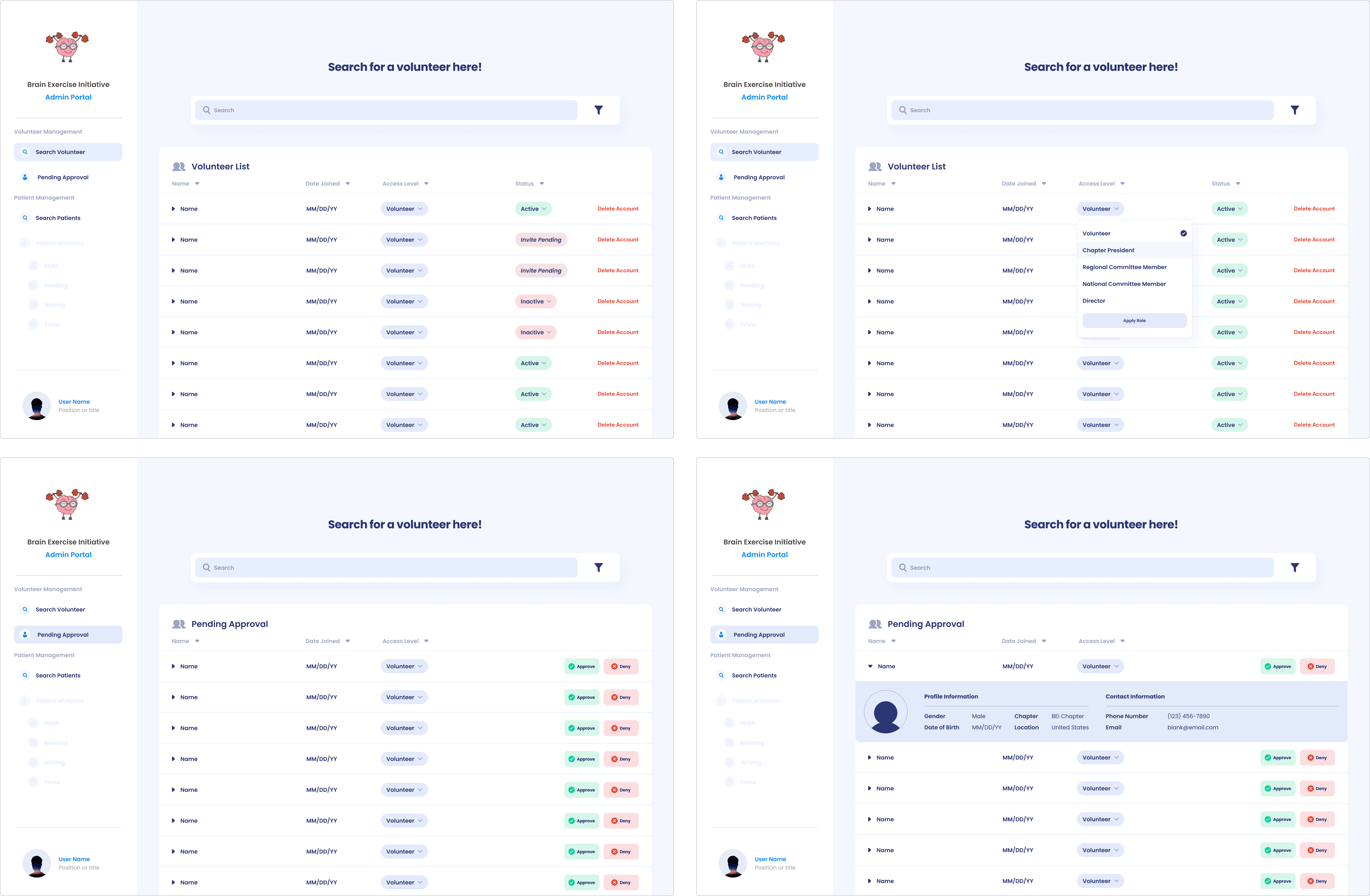
Instead of designing from scratch as well as to abide by our strict time frame, the team decided to use design patterns from the previously established volunteer portal. This is seen in our initial wireframes of what the admin portal would look like:

Client Feedback
Once we had completed our preliminary hi-fi screens, we presented them to our client for feedback. The client approved much of the design however, they provided critiques and corrections for a couple features.
Access Level & Admin Hierarchy
Something that we didn’t take into consideration was the hierarchy within members holding an admin status. This meant that persons above a volunteer status would then be able to view and manage members only under their position in the hierarchy.

We then redesigned the edit access level feature to match each member’s admin status level.

03
->
Final Solution
Incorporating Branding
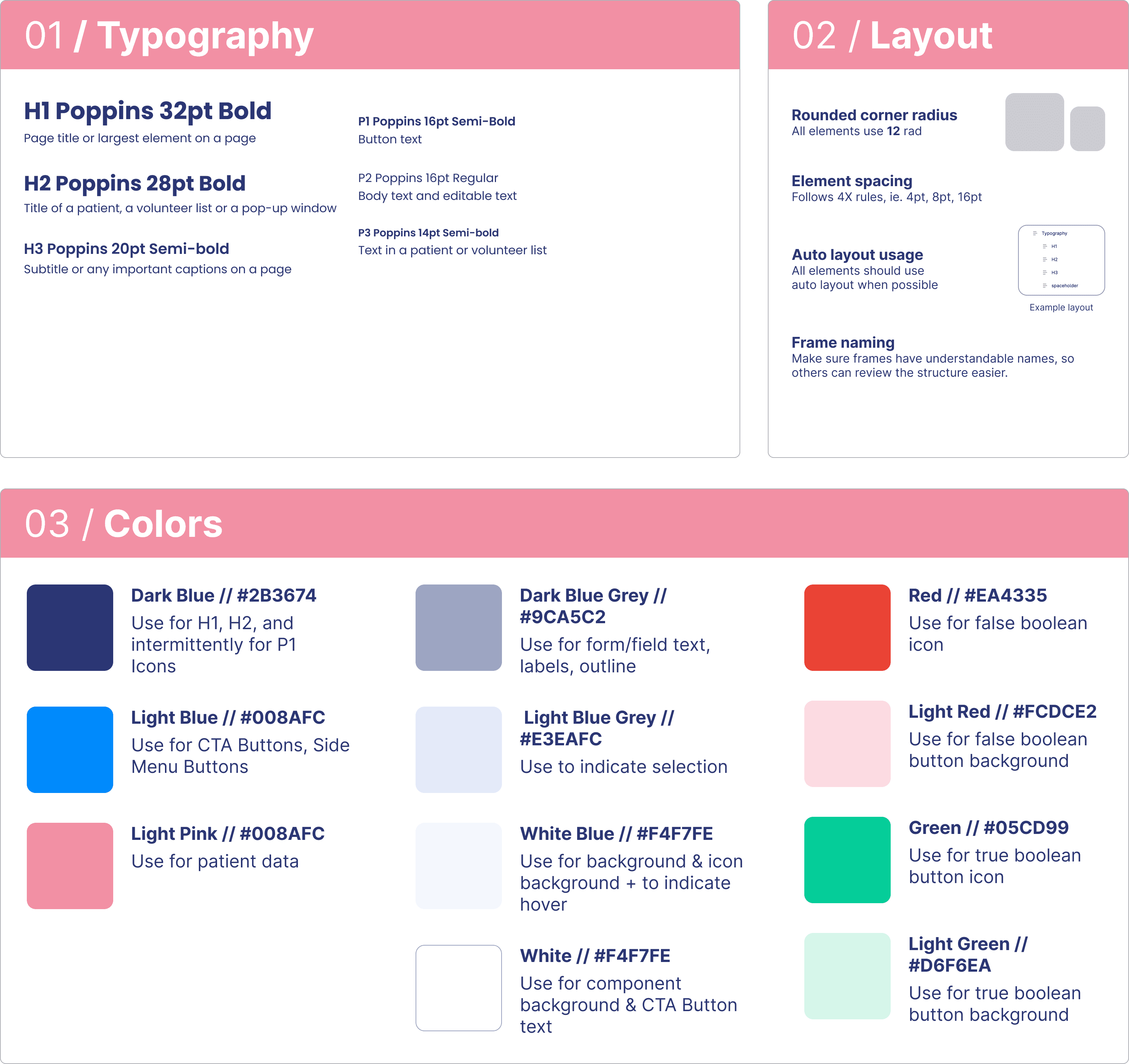
After we completed wireframes of the admin portal, we began moving towards creating high-fidelity prototypes. First however, we needed to ensure we were implementing BEI visual branding. We created this style guide to ensure we were creating a consistent and accessible experience.
Final Solution
Volunteer List & Search
Admins would have the ability to search and manage volunteers. For each member, admins would be able to change their access level, active status, as well as delete their account if needed.
Volunteer Information Dropdown
Admins have the ability to view a member’s information in a dropdown. Information includes a member’s name, date of birth, chapter location, contact information, etc.
Volunteer Approval
Once a volunteer requests to join BEI, admins would be able to view a list of pending volunteers and approve or deny their join request.
04
->
Next Steps + Reflection
Final thoughts and reflecting on our work
next steps
User Testing
One of the big things we were not able to accomplish this semester is a full series of user testing sessions with BEI admin and volunteers due to our strict timeframe. Aside from receiving feedback from Tim, we weren’t able to gather much feedback from other users. In future semesters, the next steps would be to begin conducting user testing sessions with BEI volunteers as well as admin.
Chapter Management
The next goal for BEI is to implement a chapter management page. This would only for admins to create and manage BEI chapters across the U.S and other countries
Presenting
Our team was able to hand-off our project for the next semester to a new team.